Project Scheduling Engine
Plan projects with a schedule that understands dependencies, constraints, workload, baselines, and risk — not just dates.
What's under the timeline
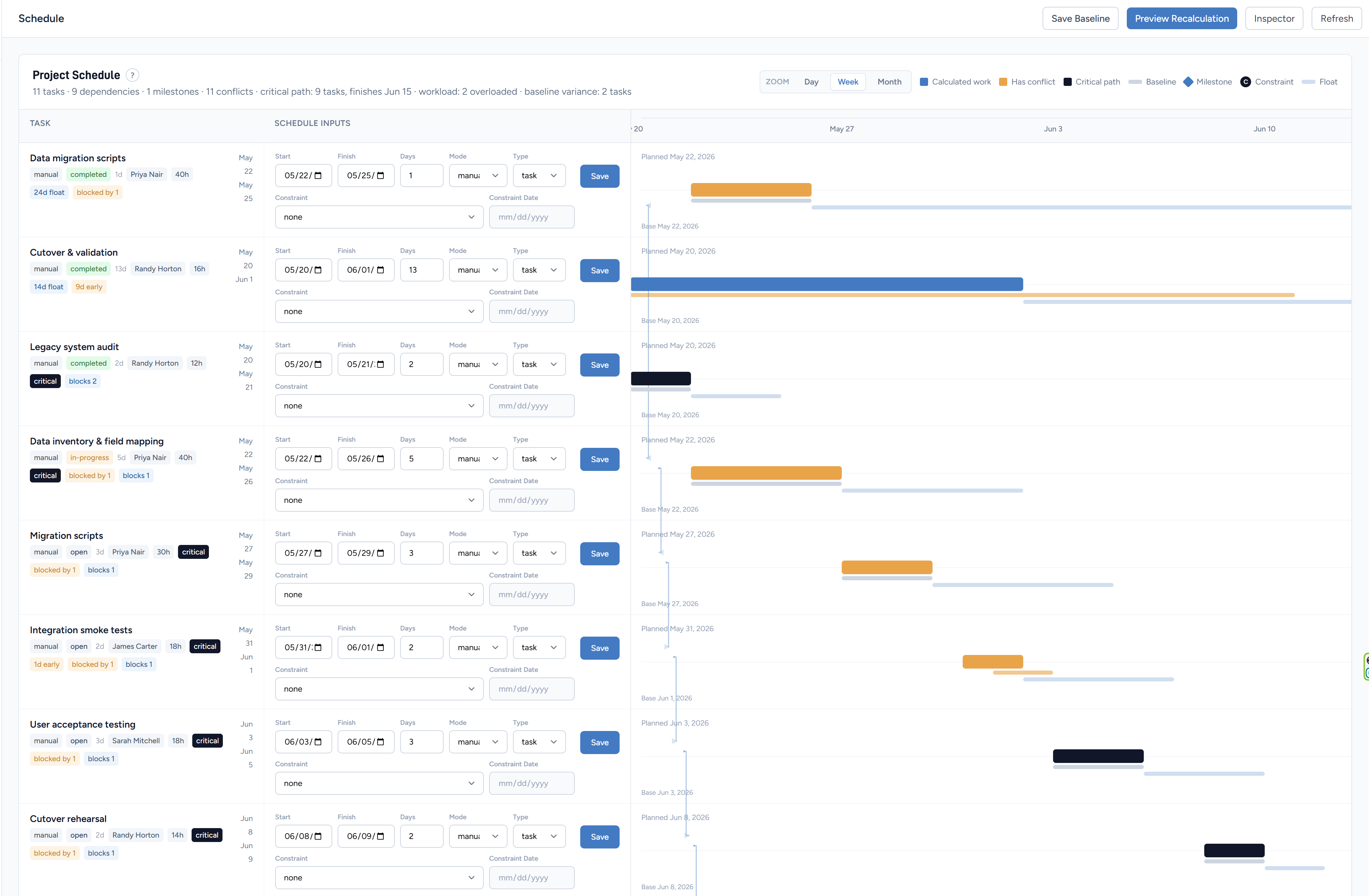
Most tools treat the timeline as a visual widget. ProjectSpace treats the schedule as a connected project model — one where tasks, dependencies, constraints, baselines, and workload all talk to each other.
The Gantt-style view is one way to look at the engine underneath.
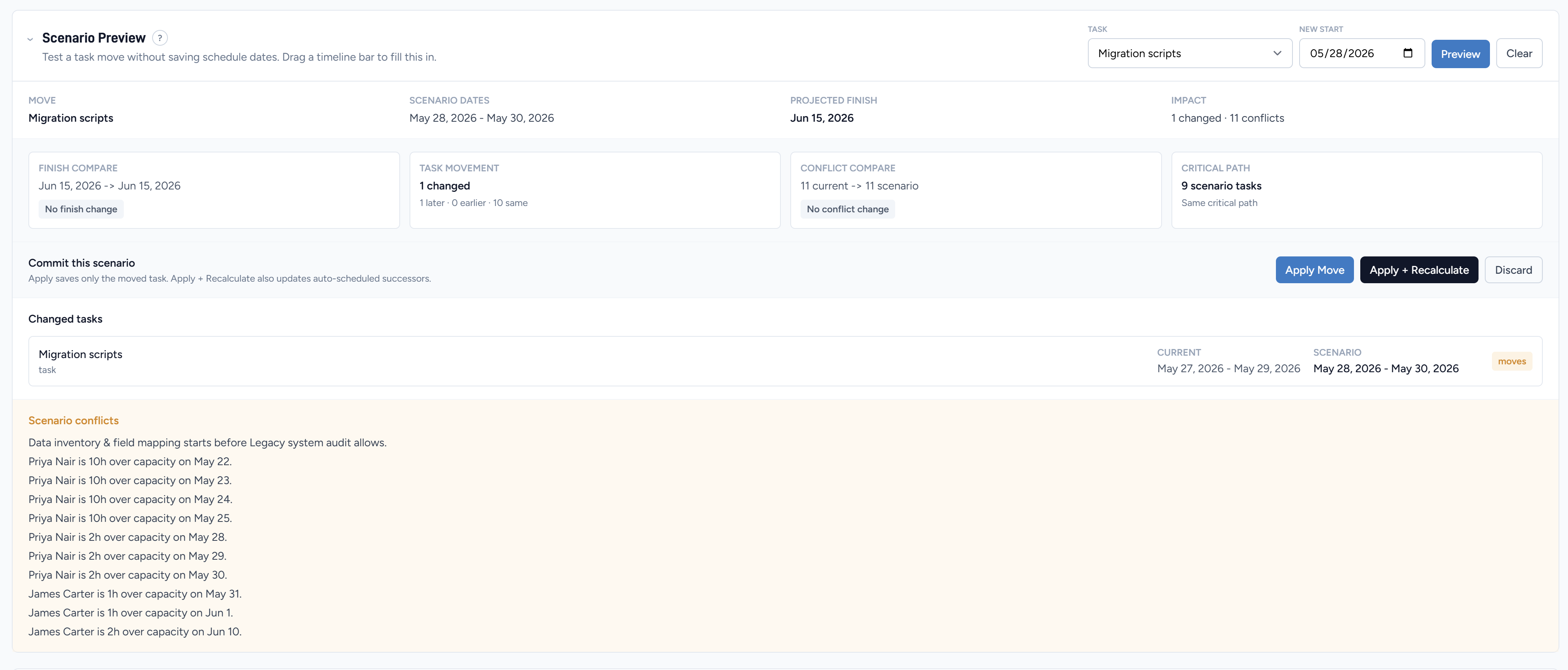
Test a possible schedule move before committing changes to the active project plan.
Scenario Preview
Before any date change reaches the real plan, run a scenario. Move a task, preview the downstream cascade, review which dates shift and which conflicts surface — then decide whether to commit or discard.
Critical Path · Slack · Float
The schedule knows which chain of work controls the finish date. Critical path explanation, slack and float visibility, and schedule conflict detection surface risk as planning information — not a surprise on delivery day.
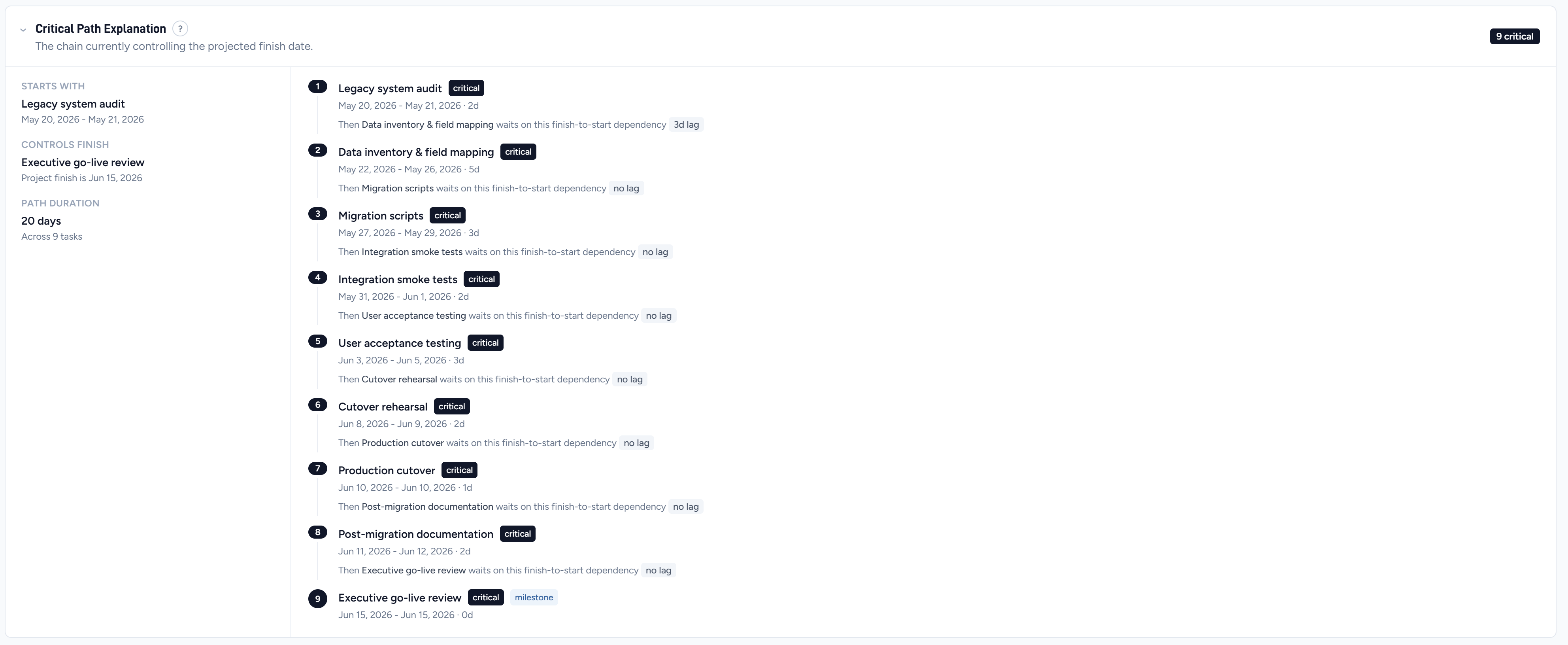
See the chain of work that controls the projected project finish.
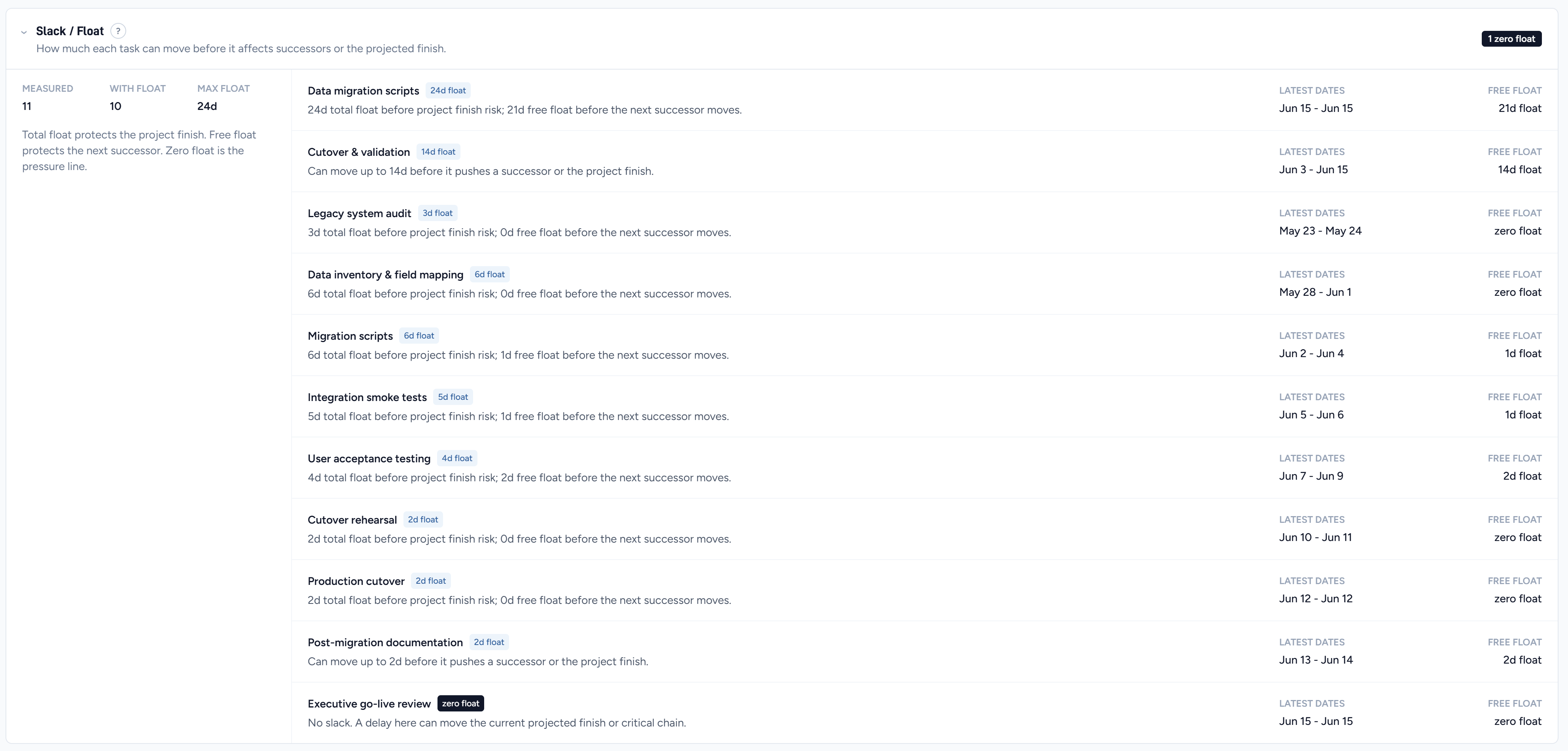
Understand which tasks have schedule cushion and which ones are already on the pressure line.
Slack and float make the hidden pressure in a schedule visible. See which tasks can slip without moving the finish — and where zero float means any delay cascades immediately to delivery.
Workload · Capacity · Leveling
Overloaded people are a schedule risk. Workload capacity shows how hours stack against each person's available time, and resource leveling preview identifies lower-risk moves before capacity pressure reaches delivery.
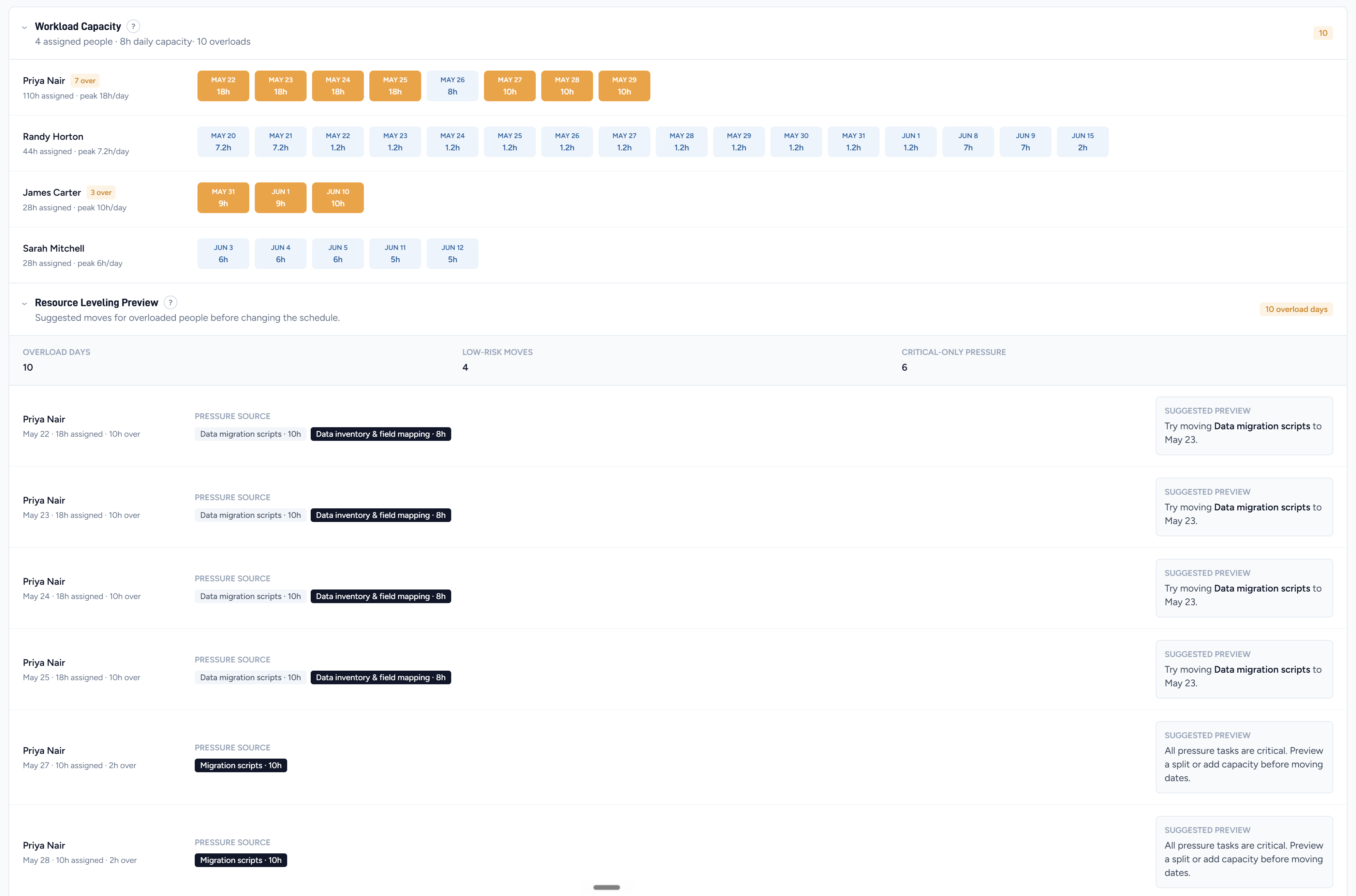
Spot overloaded people and preview lower-risk moves before capacity problems affect delivery.
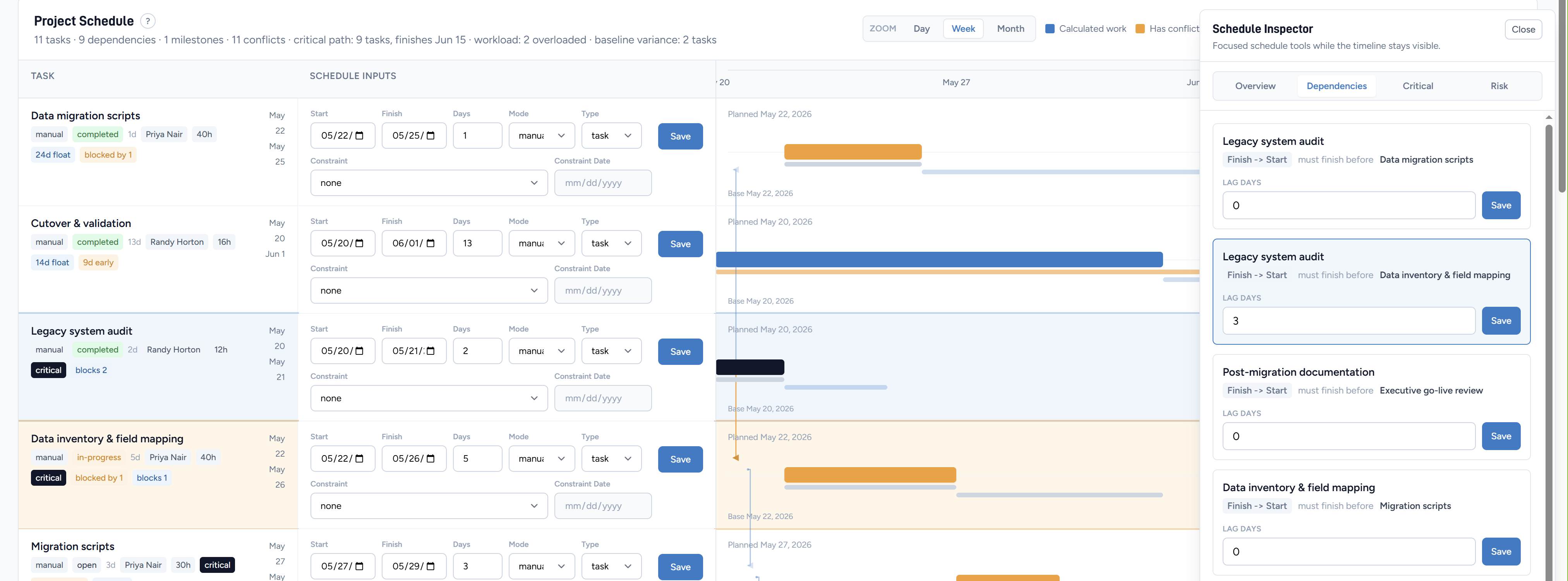
Review dependencies, critical path, and risk beside the timeline without opening another page.
Floating Schedule Inspector
The floating Schedule Inspector brings dependency, critical path, and risk detail beside the timeline — without covering it or opening another page. Edit dependency lag, review constraints, and check risk status while the schedule stays fully visible.
Baselines and Drift
Save a baseline when the plan is agreed. As the project runs and dates move, baseline drift shows exactly where the schedule has shifted from the original commitment. No manual comparison, no spreadsheet — the engine tracks it.
Start planning
Start free. Dependencies, critical path, baselines, and workload included from day one.